If your Cure Table is rotating intermittently or not rotating at all, it may be caused by poor contact with the drive wheel. This solution describes steps to adjust the table frame to increase contact between the acrylic table and polyurethane drive wheel.
The two components that make up the cure table assembly are:
- Frame: the black metal components, including rollers, mounting plate, and motor.
- Table: the clear acrylic plate that rides on the frame rollers.
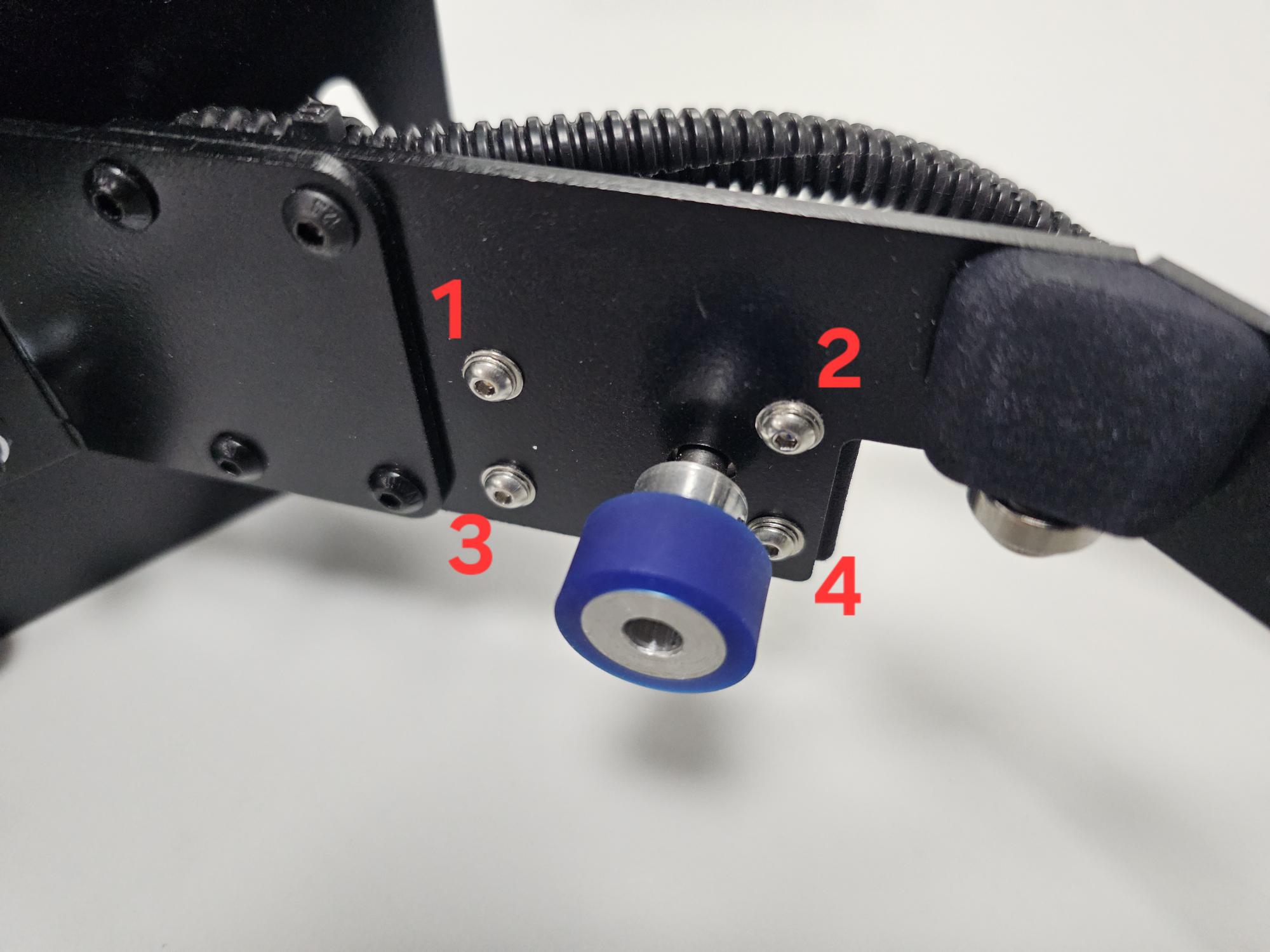
Adjustment 1: Check the motor position and ensure it is at its highest point.
- Loosen the 4 motor mount screws and slide the motor to the highest position for optimal surface contact.
Adjustment 2: Check the frame alignment and adjust if needed.
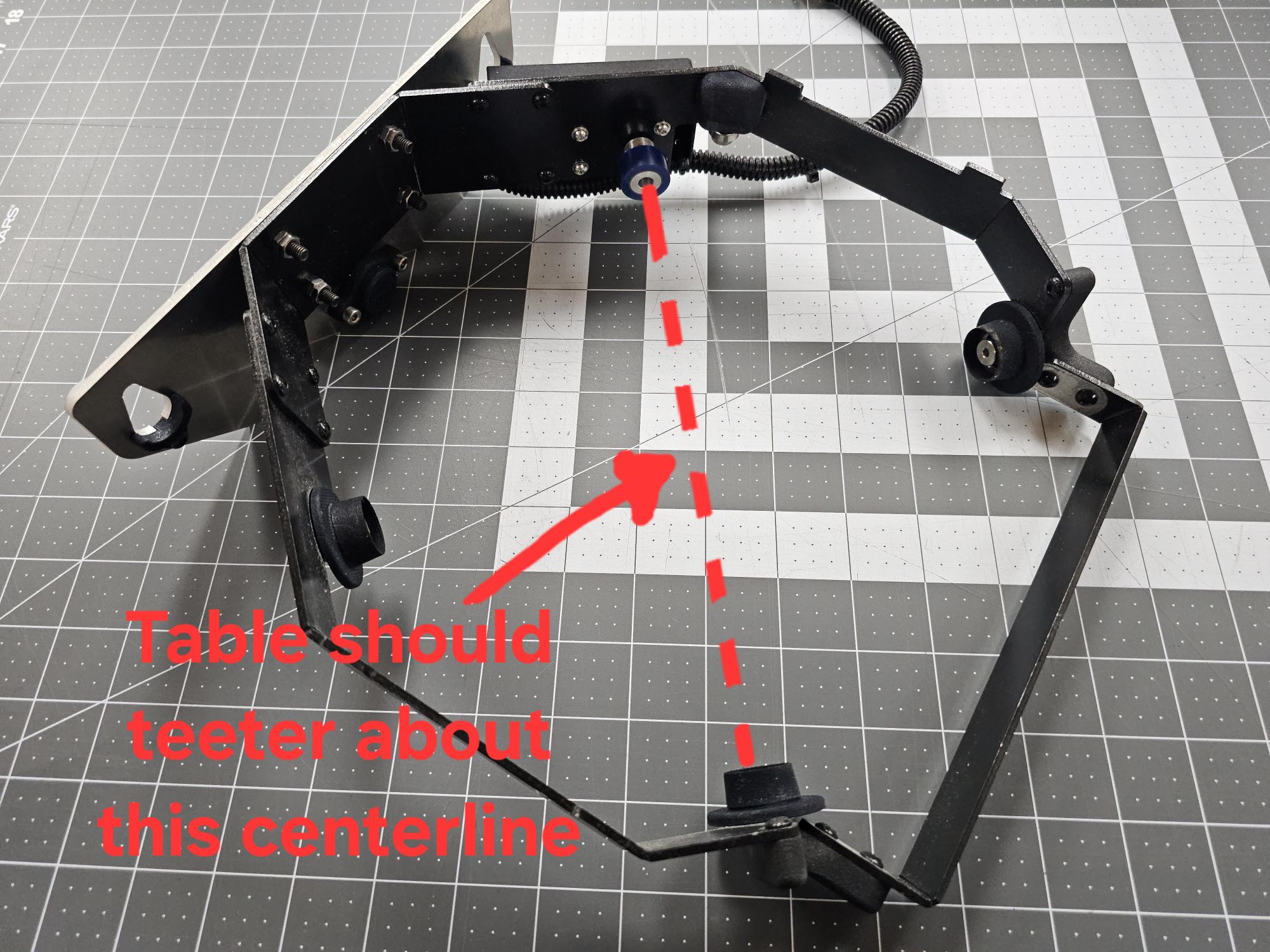
- Check the frame alignment by placing it on a flat surface outside the machine. If the frame teeters or rocks when sat on a work surface, that is OK.
- The adjusted position that we are looking for will cause the table to teeter relative to the frame when the frame is sitting on a work surface. This teeter should be such that the table pivots about the drive wheel and the roller opposite it. See image.
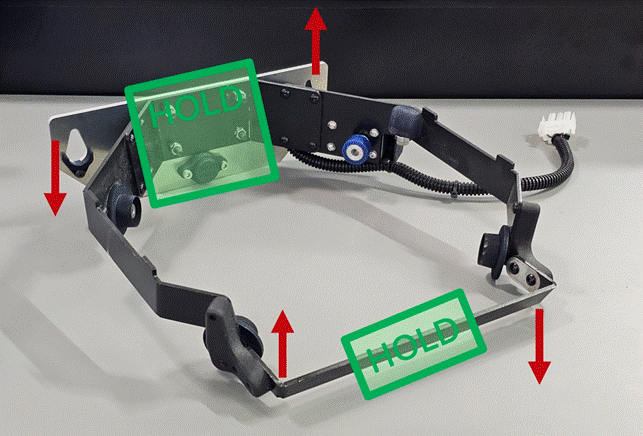
- If adjustment is needed: Referencing the below image, grip the frame on the mounting plate and the crossbar. Then slightly twist to bring the roller opposite the drive motor higher. Make small adjustments. After each adjustment, place the acrylic table on and check for roller contact. An ideal alignment results in the table slightly teetering on the drive wheel and the roller directly opposite it.
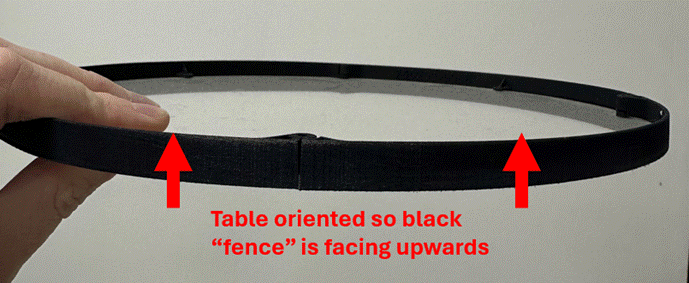
Adjustment 3: Confirm the table is placed on the frame in the correct orientation.
- The black “fence” on the acrylic table should be facing upwards. The smooth bottom of the acrylic table should make contact with the drive roller. Clean and inspect the roller. While powered off, the roller should NOT move. (If the roller moves freely when powered off, contact customer support for further instructions.)
Please contact customer support with any questions regarding this solution.
Was this article helpful?
That’s Great!
Thank you for your feedback
Sorry! We couldn't be helpful
Thank you for your feedback
Feedback sent
We appreciate your effort and will try to fix the article